

3E33 Login: How Do I Sign In on the Android App Safely?
Sign in to your 3E33 account on the app or mobile site in a few taps, and fix password and OTP problems fast.
Table of Contents
3E33 login takes less than a minute. Open the app or the mobile site, enter the login details you chose when you registered, then tap Login. If you forgot the password or get an OTP error, the fixes are below.
Before you start, make sure you already have a registered account and your password. You also need a phone that can receive the one-time code (OTP), because we may ask for it during sign-in.
What the 3E33 login page needs from you
You need three things: your account details, your password and access to your phone.
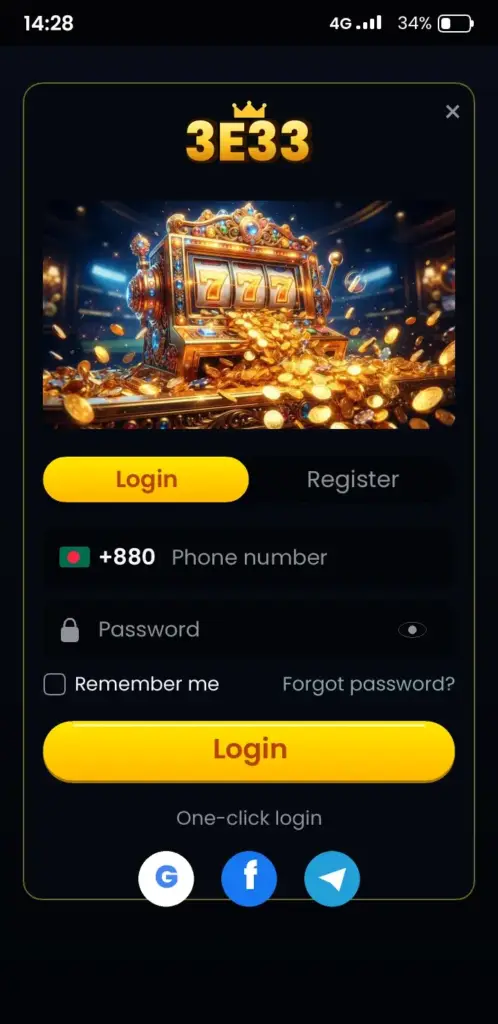
Your account details are the login ID and password from sign-up. Keep them in one safe place, not in a chat or a screenshot. Your phone matters because a verification code may be sent to it when we need to confirm it is you.
Check that you are on the right site before you type anything. Use only the official link at 3E33 official platform or the link inside the 3E33 App Download page. Never log in through a link sent by a stranger.
Steps to log in on the Android app
On the app, login takes five taps once the app is installed.
- Open the app from your home screen.
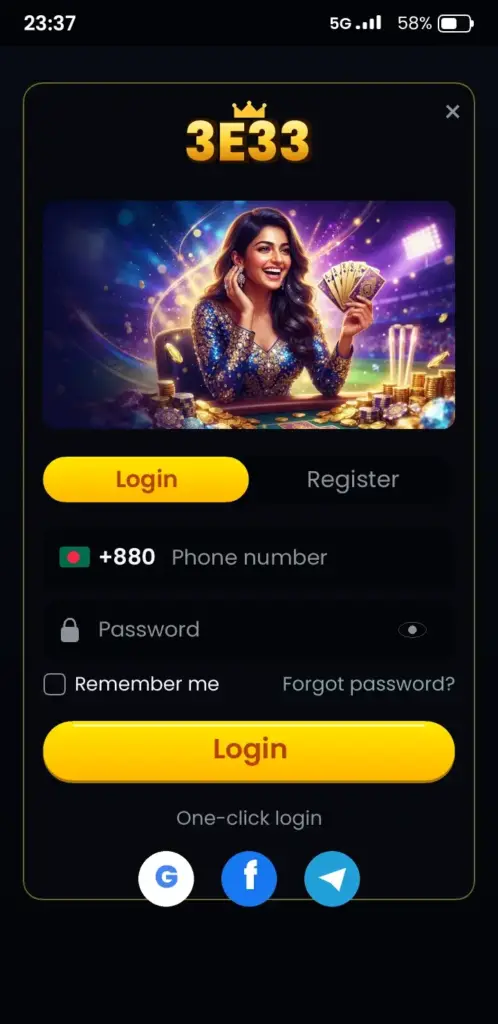
- Tap Login on the first screen.
- Enter your login ID and password exactly as you saved them.
- Tap the Login button to continue.
- If the app asks for a code, type the OTP that arrives on your phone and submit it.
If the app does not open, update it first. An old version can fail to show the login form. Check the update option in the app or on the download page before you try again.
3E33 login korbo kivabe on the mobile site
The mobile site works in any modern browser, so you can log in without installing anything.
Use Chrome or another browser that is up to date. Open the official address, tap Login, enter your details and submit. Keep the browser on the same tab until the balance appears.
- Turn on the screen rotation lock if the form jumps around.
- Clear the saved password if an old one keeps filling in.
- Use mobile data or a stable Wi-Fi network, not a weak connection.
Forgotten password: how to reset it
A forgotten password is the most common reason people cannot sign in, and it can be reset.
- On the login screen, tap the Forgot password link.
- Enter the account detail the form asks for.
- Wait for the reset code or link. Check the spam folder if you use email.
- Create a new password. Use at least eight characters with letters and numbers.
- Return to the login screen and sign in with the new password.
If the reset option does not show up, check the app for the current recovery options. Do not reuse a password from another site, because a leaked password puts every account at risk.
OTP and verification codes explained
An OTP is a one-time password, a short code that works once and expires quickly.
Think of it like a key card for one door. It opens the door once, and a new card is needed next time. This is why an old code will not work.
- Use the newest code only. Older codes stop working after a new one is sent.
- Type the code within the time shown on the screen.
- If the code does not arrive, wait a minute and request a new one.
- Keep your phone number up to date in your account.
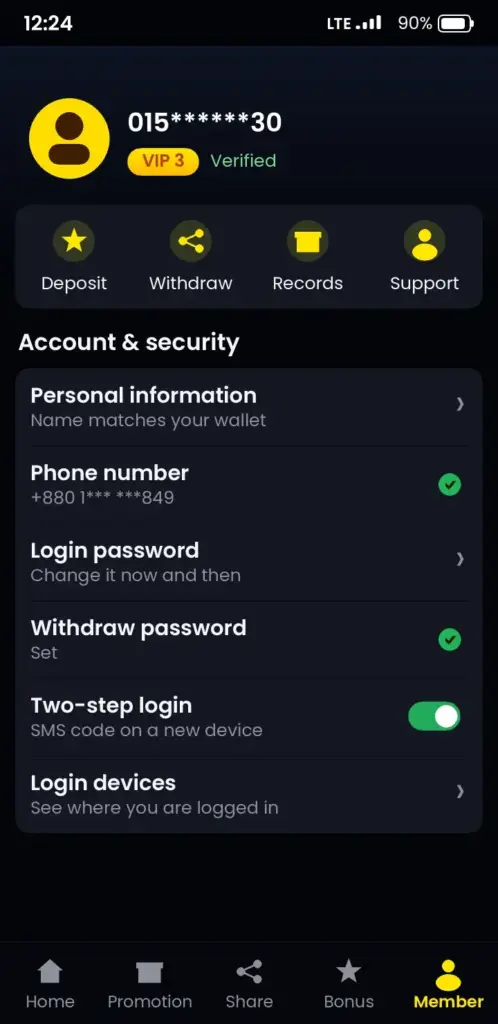
Never share your OTP with anyone, including people who claim to be support staff. Our team will never ask you for your password or your code.
Keeping your account safe after you log in
Account safety depends on your habits as much as on the platform.
Log out when you use a shared phone or a friend’s device. Turn on any extra security step the app offers. Review your recent activity from time to time, so you spot anything unusual early.
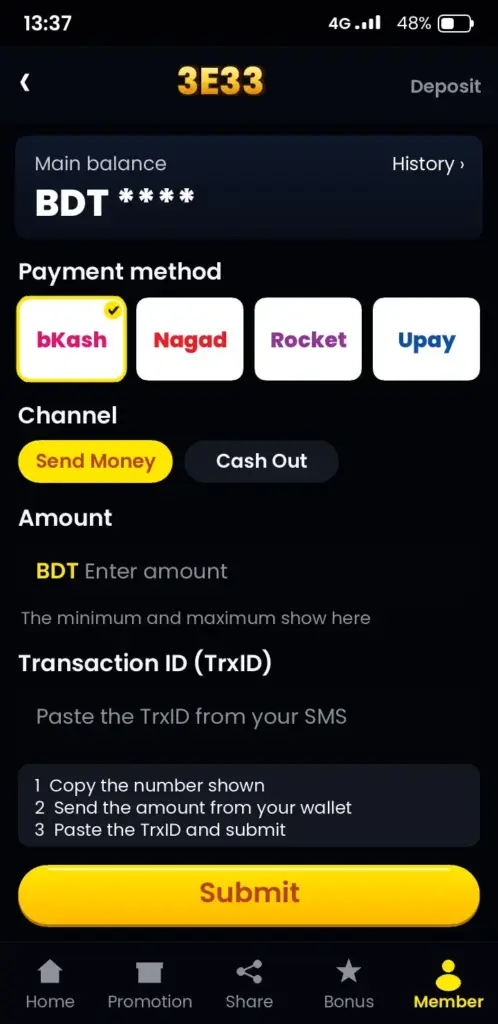
When you add money through Nagad or bKash, check the account name and number before you send. Keep the transaction ID until your balance shows the deposit. This is the best proof if something goes wrong.
Login problems and quick fixes
Most login errors come from a wrong password, an old app version or a weak connection.
| Problem | Likely cause | What to do |
|---|---|---|
| Password rejected | Typing error or caps lock on | Check caps lock, retype slowly, then use Forgot password |
| OTP not received | Weak signal or wrong number saved | Wait a minute, request a new code, check your number |
| OTP expired | Code used after its time limit | Request a new code and enter it at once |
| Login button does nothing | Old app version or cached data | Update the app, clear the browser cache, try again |
| Page keeps loading | Unstable internet | Switch from mobile data to Wi-Fi or the reverse |
If none of these fixes work, contact support from the app. Tell them the time of the error and the step where it stopped. That detail helps them find the problem faster.
Login at a glance
The table below lists the login basics in one place.
| Item | Details |
|---|---|
| Login methods | Account details and password, plus OTP when asked |
| Devices | Android app and any modern mobile browser |
| Password reset | Forgot password link on the login screen |
| Verification | One-time code sent to your registered phone |
| Limits and timings | Check the app for the current figures |
Common mistakes to avoid
Most failed logins come from three habits people can change today.
- Using an old password after a reset.
- Downloading an app from an unknown link instead of the official page.
- Entering the OTP on a page that you did not open yourself.
Take a short break if you are stuck for more than a few minutes. Come back with a clear head and try the steps again in order.
Play within your limits after you log in
Logging in is the start of your session, not a reason to keep playing.
Set a daily budget before you place your first bet. Stop when you reach it, even if the game looks close to a win. Bonuses and offers can change, so check their terms in the app before you use them. You can read more on the 3E33 bonuses page and the 3E33 sports betting page.
If you feel you cannot stop, free and confidential help is available from Gambling Therapy, which supports players worldwide.
Remember that betting is entertainment, and money can be lost. Only play with money you can afford to lose.
Updated: October 2026
18+ only. If you are under 18, do not register or log in. Please play responsibly.
Ready to sign in? Log in now, or read our 3E33 FAQ if you still have questions.
Installing or updating the app before you sign in
An outdated app is one of the quieter reasons a sign-in fails, especially after the platform releases a new build. Check the version number in the app’s settings before you try again. If it is older than the build shown on the platform’s download page, update first and then sign in.
On a first install, Android asks you to allow installs from the source you used. Turn that permission on only for the browser or file manager you trust, and switch it off again once the install finishes. Keep a few hundred megabytes of free storage so the update does not stop halfway.
- Open the app settings and note the current version number.
- Compare it with the latest build listed on the download page.
- Install the update and wait until the installer confirms it is complete.
- Close the app fully, reopen it, and sign in with your usual details.
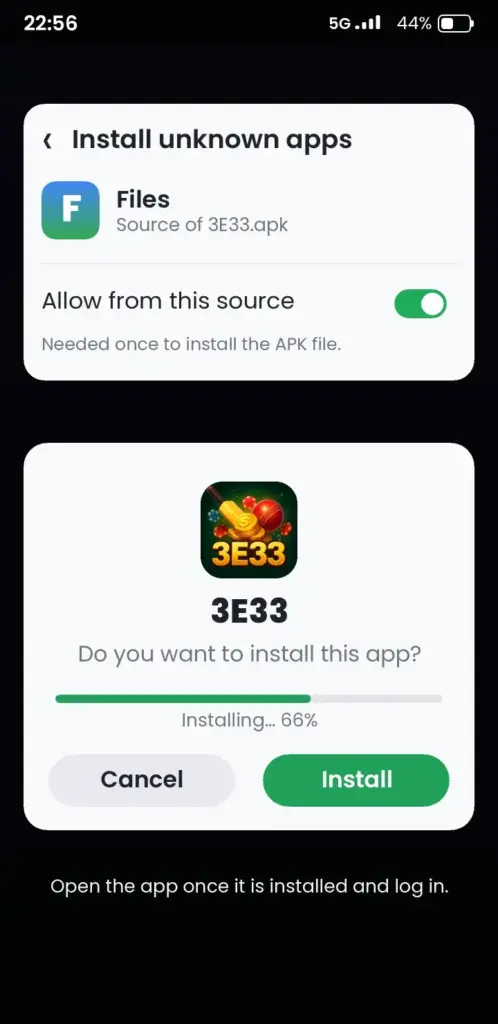
If the installer reports that the package appears to be invalid, delete the partly downloaded file and download it again. A damaged download is the usual cause, not your phone, and a fresh copy normally installs without trouble.
Sign-in on mobile data, Wi-Fi and weak signal
Many players in Bangladesh sign in over mobile data, and the connection often changes between Grameenphone, Robi, Banglalink and a home Wi-Fi network. Switching networks in the middle of a sign-in request can leave the screen stuck, so choose one connection and stay on it until you are in.
| Situation | What to do |
|---|---|
| Weak 3G or 4G signal | Move closer to a window or open space, then retry once |
| Switched from Wi-Fi to mobile data | Turn Wi-Fi off, wait about ten seconds, then reopen the app |
| Data saver mode is on | Allow the app unrestricted background data in Android settings |
| Busy evening hours | If the spinner runs for more than a minute, close the app and try later |
Late-night and evening traffic can slow every network in the area, so a sign-in that fails at 9 pm may work fine in the morning. Avoid tapping the login button repeatedly, because each extra request can queue behind the last one. One clean attempt is more reliable than five rushed ones.
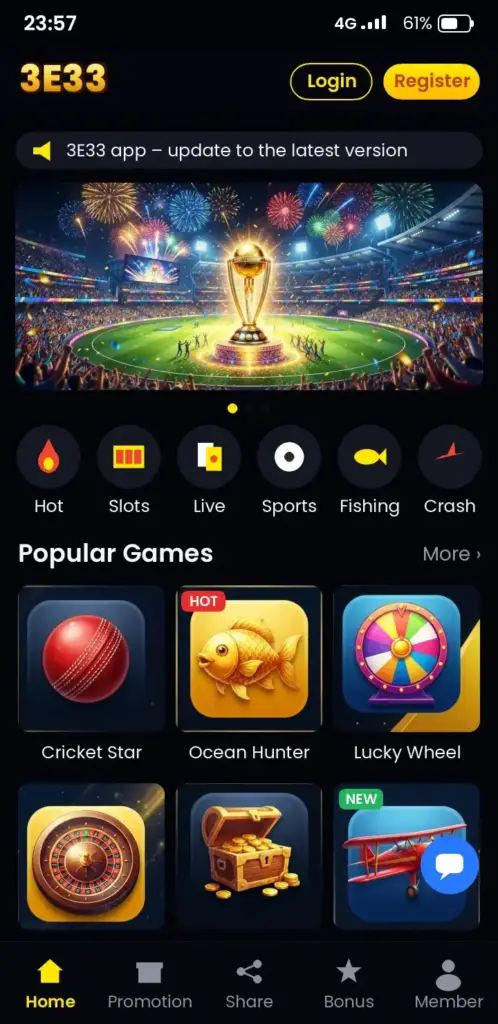
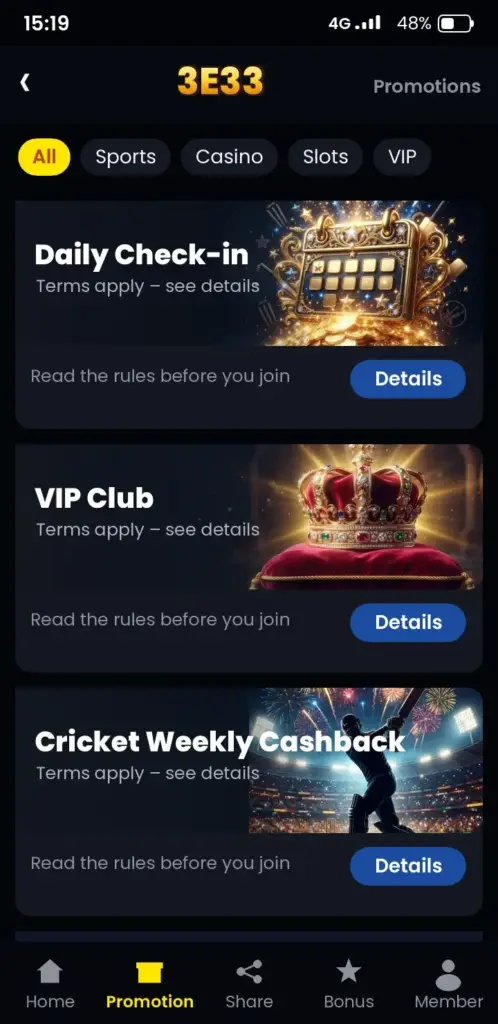
3E33 App Screenshots: Game Lobby, Login, Deposit & Bonuses
See how the 3E33 app looks on an Android phone before you download it – tap any screen to open the app.
Frequently Asked Questions
How do I log in to 3E33 on my Android phone?
Open the 3E33 app, tap Login, enter the login ID and password you registered with, then tap Login again. If the app asks for an OTP, type the code sent to your phone before it expires. If the form does not show, update the app first and try again.
3E33 login korbo kivabe if I forgot my password?
Tap the Forgot password link on the login screen and enter the account detail the form asks for. Wait for the reset code or link, then create a new password. Use a password you have not used on other sites, and sign in again with it.
Why is my 3E33 OTP code not arriving?
Wait about a minute, check that your signal is steady, then request a new code. Make sure the phone number saved in your account is correct. Use only the newest code, because older codes stop working once a new one is sent.
Can I log in to 3E33 on an iPhone?
This page covers the Android app and the mobile site. For iPhone, check the current options in the app or on the official 3E33 platform page, because availability can change. You can also use any updated mobile browser to open the site and log in.
How do I withdraw money from 3E33 after logging in with bKash?
After you log in, open the wallet or cashier section and choose withdrawal. Select bKash, enter the wallet number and amount, then confirm. Check the current limits and processing time in the app, and keep your transaction ID until the money arrives.
Is it safe to log in to 3E33 on a shared phone?
It is safer to avoid shared phones. If you must use one, log out fully when you finish, and never save your password on that device. Never share your OTP or password with anyone, including people who claim to be support staff.
What are the 3E33 login requirements on Android?
You need a registered account, your login ID and password, and a phone that can receive the OTP. Keep the app updated to the latest version shown on the download page. Check the app for the current system requirements, because they can change over time.
Which bonuses can I claim after 3E33 login for new players?
Bonuses for new players appear in the app after you log in, if they are offered at that time. Read the wagering rules, validity period and eligible games before you accept any offer. Check the current terms in the app, because offers change.
Can I bet on cricket on 3E33 after I log in?
Yes, once you log in you can open the sports section and look for cricket betting markets. Check which matches and odds are shown in the app at that time. Set a budget first, and only bet what you can afford to lose.
Why does the 3E33 login page keep loading on my phone?
A slow or unstable connection is the usual cause. Switch between mobile data and Wi-Fi, close other apps, and clear the browser cache. If the page still loads forever, update the app or contact support with the time of the error.